
🎬 Create with Muse Video
Muse Video AI Video Generator
Where Words Become Cinema
Muse Video is a next-generation model that turns a line of text, a still image, or a rough clip into a polished, cinema-grade shot — with synchronized sound generated in the same pass.
Muse Video AI Video Generator
Muse Video AI Video Generator
Generate videos using cutting-edge AI models
 Muse Video
Note: Pro supports image, audio, and video inputs.
Note: 1080P videos take longer to generate
✨ Please login to try for FREE ✨
Video Reframe
Change the aspect ratio of any video up to 30 seconds long
Click to upload or drag and drop
Formats: MP4, WebM, QuickTime
✨ Please login to try for FREE ✨
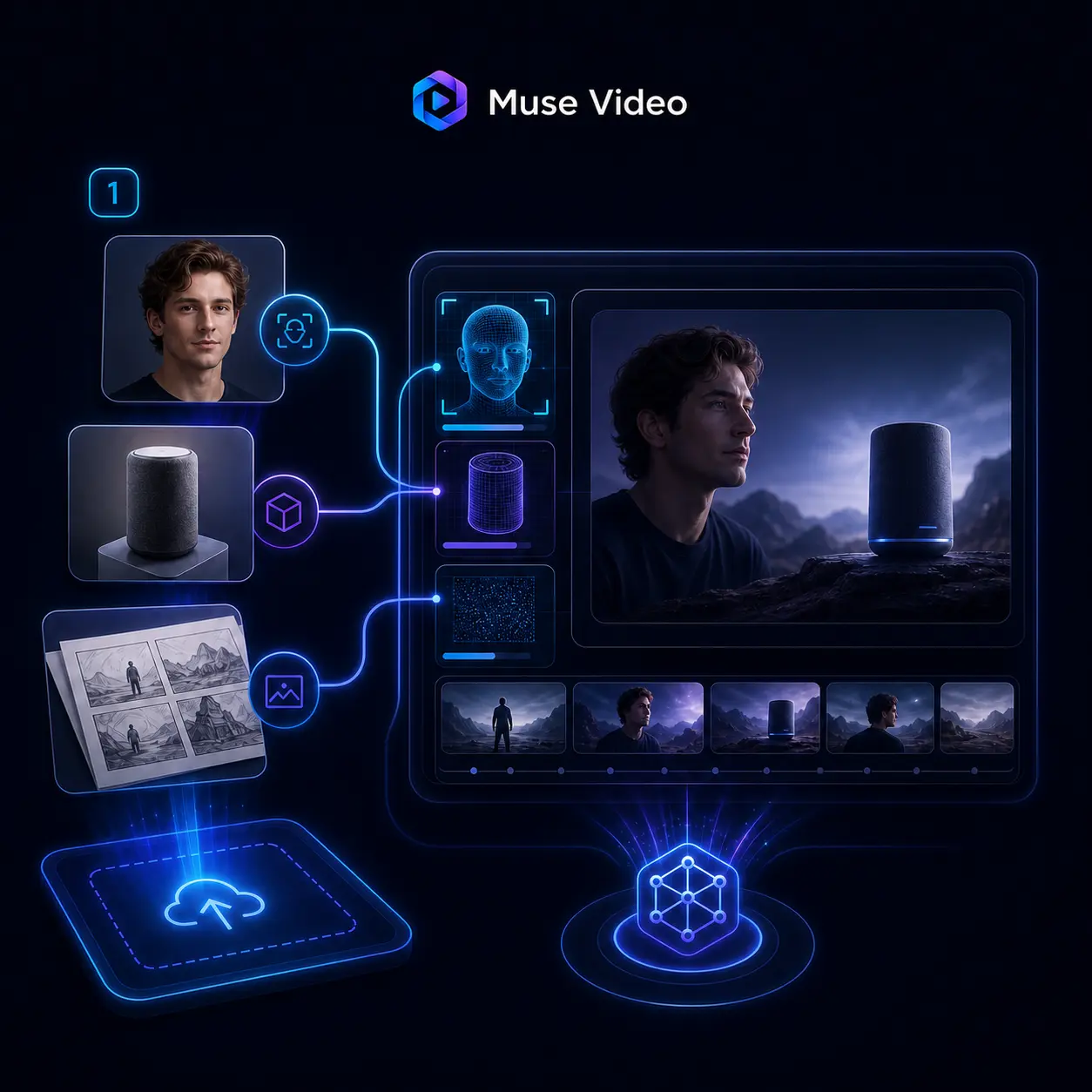
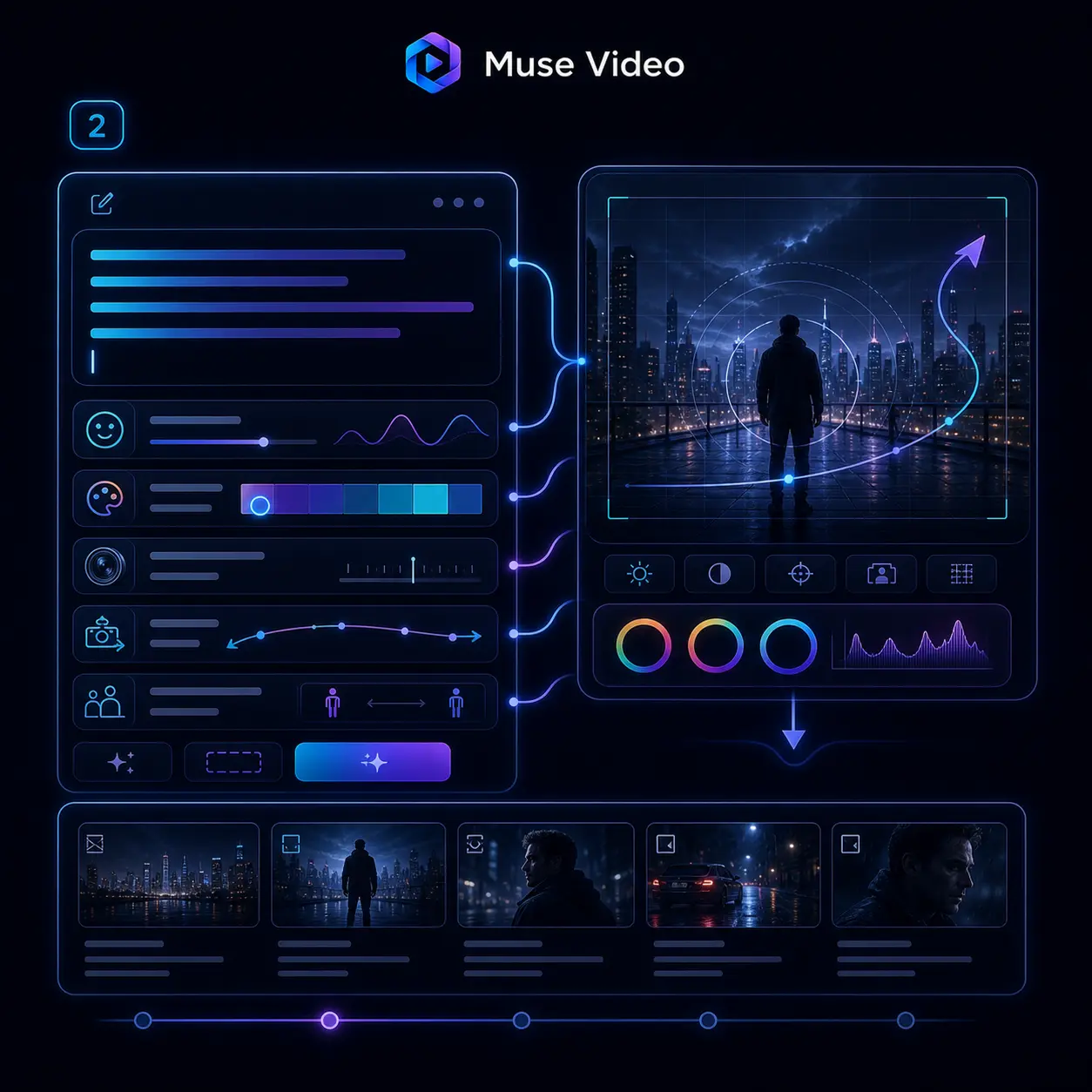
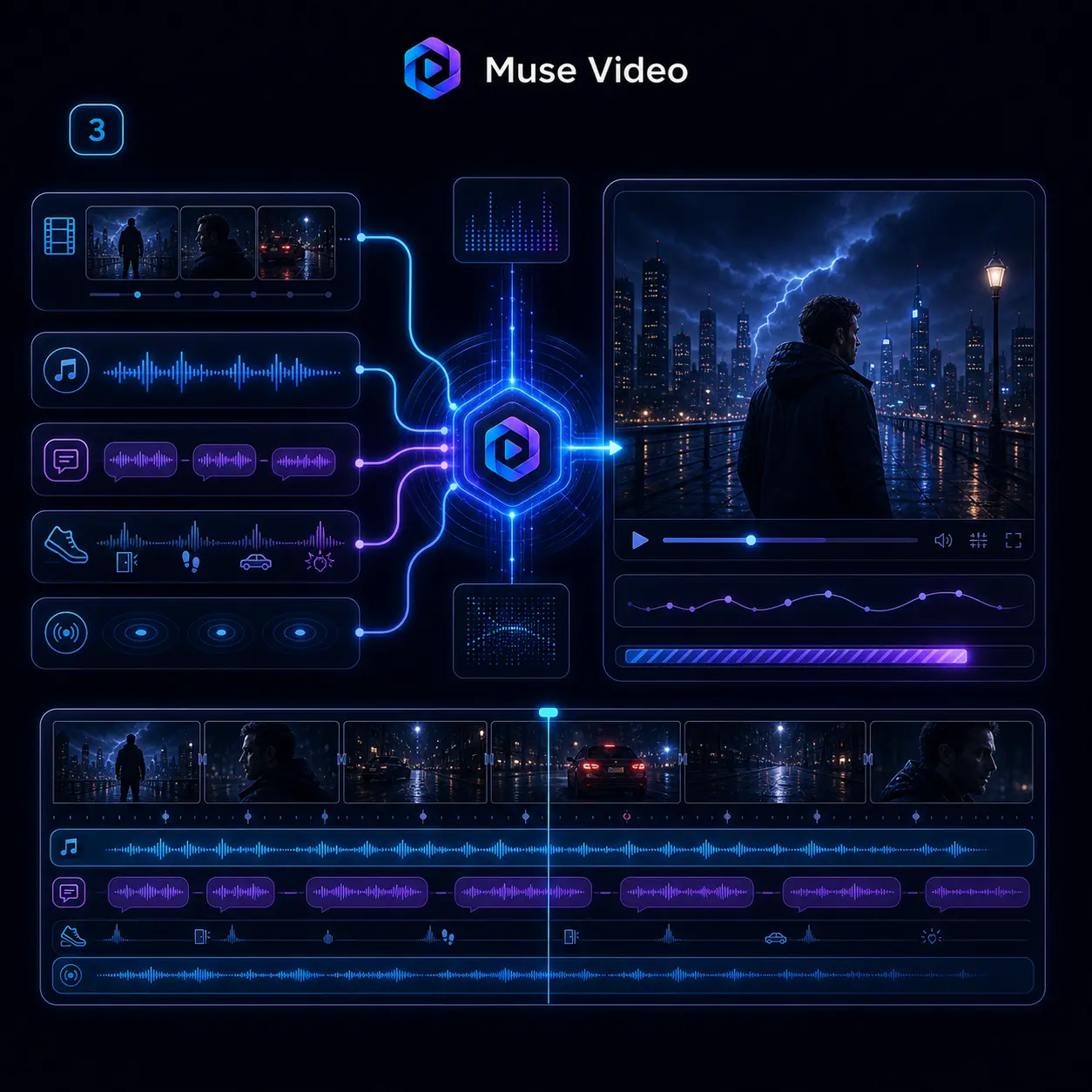
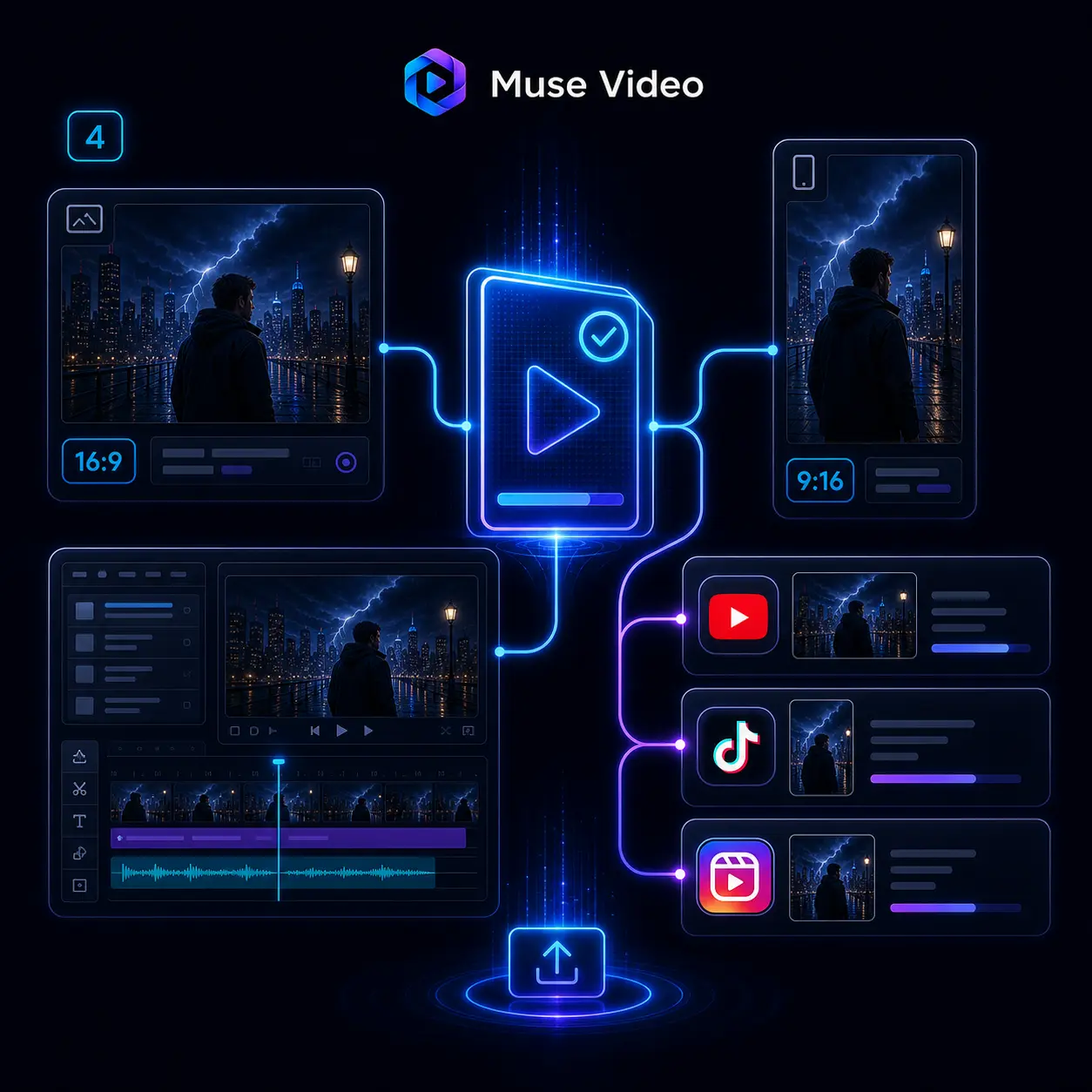
How the Muse Video Workflow Works
From first prompt to finished cut, the whole pipeline lives in one place. Feed Muse Video what you have — words, a photo, or footage — and watch it composed into a shot with sound already baked in.
What Sets Muse Video Apart
Muse Video is a purpose-built generative video model, tuned for the three things that break most clips: prompt adherence, visual fidelity, and shot-to-shot consistency.
Native Synchronized Audio
Sound is generated in the same pass as the picture, not added afterward. Muse Video lays down effects, ambience, and lip-synced dialogue that track the action, frame for frame — a full sound bed from the render.
Grounded Physics
A missed shot bounces off the rim, water sloshes with real weight, and a leap carries its own momentum. Muse Video models how the physical world behaves, so the motion reads as filmed instead of faked.
Consistent Characters
Turn a single photo into a reusable cast member. Tag that person or object in any new prompt and Muse Video brings them back with the same face, wardrobe, and manner — scene after scene, no drift.
Remix Any Clip
Start from footage you already have and reshoot it in a new key. Muse Video keeps the original motion and staging intact while you swap the setting, restyle the look, or drop a new character into the frame.
Text, Image, or Video In
One model, three ways in. Start from a written idea, animate a still image, or extend an existing clip — Muse Video treats each as a first-class input, not an afterthought bolted on at the end.
Directable Camera Work
Push in, track alongside, or rack focus on cue. Muse Video understands the vocabulary of real cinematography, translating terms like dolly, handheld, and shallow depth of field into camera moves that match your intent.
Why Muse Video Leads on AI Video
Where Muse Video stands among today's video models
Powered By
MSL
Meta Superintelligence Labs
Arena Tier
Top
First-tier text-to-video model
Native Audio
Yes
Sound generated with the shot
Muse Video for Every Kind of Creator
Working solo or running a studio, you can bend Muse Video to the format you need — from a six-second vertical hook to a wide cinematic beat.
Ads & Kinetic Type
Paste a script and Muse Video animates each line with its own motion, cut to a beat. Build thumb-stopping ad reels where the typography carries the pitch — no motion-graphics suite in the loop.
Character & Avatar Swaps
Feed it a photo and Muse Video reimagines you as an anime lead, a stylized 3D figure, or whatever look you name. Your features stay legible while the entire style flips — all from one prompt.
Beat-Synced Music Visuals
Give Muse Video a clip and a track and the action locks to the tempo on its own. Lights throb, objects sway, cuts land on the downbeat — any footage becomes a music video in a single pass.
Film & VFX Beats
A surface turns to rippling liquid; an arm hardens into polished chrome inside one shot. Muse Video pulls off the kind of material transitions a compositing team would otherwise spend days building.
Education & Explainers
Hand Muse Video a dense topic like protein folding and get back a warm claymation explainer with genuine stop-motion texture. One descriptive prompt is enough for classroom-ready footage.
Architecture & Concept Viz
From a single reference, Muse Video raises full 3D structures — wireframes lifting into light with real depth. Architects and designers get to walk a concept before a single line is committed to build.
Pricing
Access Muse Video and other top-tier AI models, remove watermarks, and unlock fast generation.
700 Credits
Most popular for individual creators!
Includes
- 700 credits / month
- Credits never expire
- 4K Video Resolution
- Text/Image/Video to Video:Muse Video
 Veo 3.1
 Seedance 2.0
 - Text/Image to Image:
 GPT Image 2
 Nano Banana 2
 - No Watermark
- Private Generation
- Reframe / Remix Video
- Commercial License
cancel anytime
400 Credits
Perfect for trying out.
Includes
- 400 credits / month
- Credits never expire
- 4K Video Resolution
- Text/Image/Video to Video:Muse VideoVeo 3.1Seedance 2.0
- Text/Image to Image:GPT Image 2Nano Banana 2
- No Watermark
- Private Generation
- Reframe / Remix Video
- Commercial License
cancel anytime
1500 Credits
Best for professional creators!
Includes
- 1500 credits / month
- Credits never expire
- 4K Video Resolution
- Text/Image/Video to Video:Muse VideoVeo 3.1Seedance 2.0
- Text/Image to Image:GPT Image 2Nano Banana 2
- No Watermark
- Private Generation
- Reframe / Remix Video
- Commercial License
- Priority Support
cancel anytime

What Creators Say About Muse Video
Filmmakers, marketers, and game developers on how Muse Video reshaped the way they work.
Sofia Marchetti
Motion Designer
Half my week used to vanish into hand-syncing sound to motion. Muse Video renders audio alongside the visuals, so a spot lands finished on the first pass — that alone reset how my studio prices jobs.
Kenji Watanabe
Commercial Director
Clients rewrite the brief at the last minute. Because Muse Video follows a detailed prompt so closely, I can reshoot a concept in an afternoon instead of rebooking a crew — it won my agency over.
Olivia Brooks
Social Content Producer
I cut vertical content for six brands a week. Muse Video spins one idea into a dozen platform-ready variants before lunch, each with its own sound and pacing — my weekly backlog is basically gone.
Andre Silva
Music Video Director
Locking visuals to a track used to mean a night of keyframing. I hand Muse Video the song and the cuts land on the beat by themselves, with camera moves I'd normally storyboard for hours.
Hannah Cohen
E-Learning Producer
Our courses need the same host across forty lessons. Muse Video holds a character and look steady from module to module, so learners never spot a seam — a quarter of work now fits in two weeks.
Liam O'Connor
Indie Filmmaker
On a small budget, believable motion is everything. Muse Video nails the physics — weight, momentum, the way water moves — so every shot reads as filmed on a real set, not generated in software.
Inside the Muse Video Architecture
A technical look at how Muse Video compresses, generates, and decodes video inside a single learned latent space.
Latent Transformer with Flow Matching
Muse Video is a Transformer that generates in a compressed latent space, not raw pixels. A temporal autoencoder shrinks video across height, width, and time, and the Transformer — trained by flow matching instead of plain diffusion — refines those latents before a decoder restores high-fidelity frames.
Spatial-Temporal Attention
Inside each block, Muse Video factorizes attention into a spatial pass (composition within a frame) and a temporal pass (motion and identity across frames). Interleaving the two preserves fine detail — skin pores, smoke, flowing water — while holding characters and objects steady from first frame to last.
Multi-Encoder Prompt Conditioning
Rather than lean on a single text tower, Muse Video conditions on several complementary encoders at once, fed in by cross-attention between the self-attention and feed-forward layers. Reading each prompt from several angles is what lets it follow long, detailed instructions so closely.
Muse Video FAQ
Straight answers to the questions creators ask most about the Muse Video AI video model.
What is Muse Video and what can it do?
Muse Video is a next-generation generative video model built by Meta Superintelligence Labs. From a text prompt, a still image, or an existing clip it produces a polished shot with natively generated, synchronized audio — sound effects, ambience, and dialogue all rendered in the same pass as the picture.
How is Muse Video different from Sora 2 or Veo?
Muse Video shares its pretraining base with Muse Image and is tuned for prompt adherence, visual fidelity, and temporal consistency. Alongside native audio it brings grounded physics, reusable character identity, and clip remixing — so a generated scene both looks right and moves the way the real world would.
Can I reuse my own face or a product across clips?
Yes. Turn a single photo into a taggable character or object, then call it into any later prompt. Muse Video keeps the same facial structure, styling, and surface detail consistent from one generated clip to the next.
Does Muse Video generate sound on its own?
It does. Audio is produced natively, next to the video, in one pass — you get synchronized Foley, ambience, and lip-synced dialogue without a separate sound-design step or manual alignment afterward.
What kind of input works best?
Anything from a casual one-liner to a detailed shot list. Muse Video reads professional cinematography language, so a prompt like 'handheld tracking shot, golden-hour backlight, shallow depth of field' maps straight onto matching camera work.
Where does Muse Video rank against other models?
Muse Video places among the first tier of text-to-video models on the Arena human-preference leaderboard, holding its own against the leading systems while work continues to sharpen audio-video sync and fast-motion physics.
Start Creating with Muse Video
Generate cinematic clips with consistent characters, native audio, and grounded physics — all powered by Muse Video.